One ROCm Backend, Five Mixture-of-Models Objectives on AMD Developer Cloud

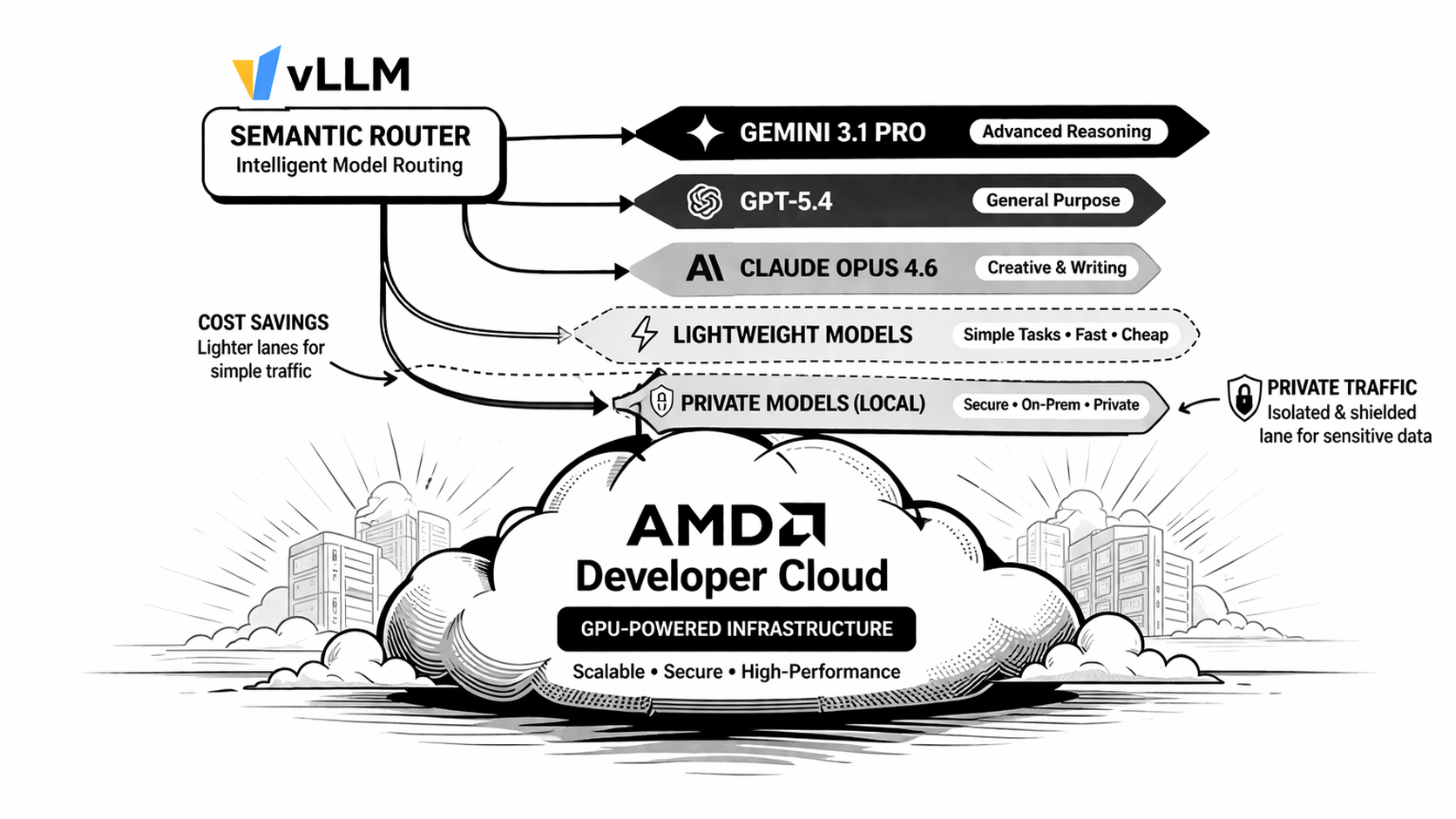
The first AMD Developer Cloud deployment guide showed how to put vLLM Semantic
Router in front of a balance-oriented ROCm backend. The maintained
multi-objective recipe takes the next step: clients choose the optimization
objective they want, while the router keeps each objective's signals,
projections, decisions, algorithms, and plugins isolated.
This guide deploys one physical ROCm model, exposes it through five logical served-model aliases, and then presents five stable Mixture-of-Models entrypoints. It is a practical way to demonstrate multi-objective routing before operating a fleet of physically distinct model backends.
From One Profile to Five Objectives
The balance recipe exposes one automatic routing policy. The multi-objective recipe exposes five request-facing model IDs:
| Client model | Objective |
|---|---|
vllm-sr/mom-balanced-v1 | Balance quality, latency, cost, and load. |
vllm-sr/mom-flash-v1 | Prefer interactive latency and retain a bounded heavy lane. |
vllm-sr/mom-economy-v1 | Stay local and spend additional compute only when justified. |
vllm-sr/mom-frontier-v1 | Escalate from direct answers to confidence routing, ReMoM, Fusion, or Router Flow. |
vllm-sr/mom-private-v1 | Keep private or suspicious requests on local policy-compatible routes. |
An entrypoint selects one recipe before signal evaluation. Names inside that recipe are local to the recipe, so a signal or decision in the privacy program cannot accidentally activate a route in the speed program.
The request flow is:
Client model
  -> entrypoint
  -> isolated recipe
  -> signals and projections
  -> decision and algorithm
  -> logical backend alias
  -> physical ROCm model
Why Use Aliases With One Physical Model?
A production deployment can map the model catalog to different physical backends. For a compact demonstration, vLLM can expose one model under several served-model names:
qwen/qwen3.5-rocmgoogle/gemini-2.5-flash-litegoogle/gemini-3.1-proopenai/gpt5.4anthropic/claude-opus-4.6
These names are logical routing tiers in this example. They do not make outbound requests to the vendors named in the aliases. Every completion is generated by the same local ROCm backend.
This separation is useful because the router can demonstrate:
- objective-specific decision graphs
- model-selection algorithms and orchestration
- recipe-scoped Replay and Insights
- different example price and quality metadata
- stable client contracts that do not expose physical deployment changes
Aliases do not create real latency or quality differences by themselves. Before production, replace the demonstration backend references and metadata with the capabilities and measurements of the physical models you actually operate.
Step 1: Start the ROCm Backend
Create the shared network:
sudo docker network create vllm-sr-network 2>/dev/null || true
Start one OpenAI-compatible vLLM server and publish the five aliases:
sudo docker run -d \
  --name vllm \
  --network=vllm-sr-network \
  --restart unless-stopped \
  -p "${VLLM_PORT_122B:-8090}:8000" \
  -v "${VLLM_HF_CACHE:-/mnt/data/huggingface-cache}:/root/.cache/huggingface" \
  --device=/dev/kfd \
  --device=/dev/dri \
  --group-add=video \
  --ipc=host \
  --cap-add=SYS_PTRACE \
  --security-opt seccomp=unconfined \
  --shm-size 32G \
  -e VLLM_ROCM_USE_AITER=1 \
  --entrypoint python3 \
  vllm/vllm-openai-rocm:latest \
  -m vllm.entrypoints.openai.api_server \
    --model Qwen/Qwen3.5-122B-A10B-FP8 \
    --host 0.0.0.0 \
    --port 8000 \
    --enable-auto-tool-choice \
    --tool-call-parser qwen3_coder \
    --served-model-name \
      qwen/qwen3.5-rocm \
      google/gemini-2.5-flash-lite \
      google/gemini-3.1-pro \
      openai/gpt5.4 \
      anthropic/claude-opus-4.6 \
    --trust-remote-code \
    --reasoning-parser qwen3 \
    --max-model-len 262144 \
    --language-model-only \
    --max-num-seqs 128 \
    --kv-cache-dtype fp8 \
    --gpu-memory-utilization 0.85
Confirm that all aliases are present:
curl -sS http://127.0.0.1:8090/v1/models
Step 2: Install and Start vLLM Semantic Router
Install the CLI in a virtual environment:
python3 -m venv vsr
source vsr/bin/activate
curl -fsSL https://vllm-sr.ai/install.sh | bash
For a source checkout, validate and start the maintained recipe:
vllm-sr validate \
  --config config/recipes/multi-objective/config.yaml

vllm-sr serve \
  --platform amd \
  --config config/recipes/multi-objective/config.yaml
The local split runtime converts the recipe's loopback Looper endpoint into the effective Envoy service URL. The source YAML therefore stays portable across default and stack-scoped local deployments.
For dashboard-first onboarding, import:
https://raw.githubusercontent.com/vllm-project/semantic-router/main/config/recipes/multi-objective/config.yaml
The first visit presents the initial administrator registration flow. After that account is created, public first-admin registration closes automatically.
Step 3: Verify the Public Model Catalog
The router advertises entrypoints rather than physical backend aliases:
curl -sS http://127.0.0.1:8899/v1/models
Each record includes recipe metadata such as:
{
  "id": "vllm-sr/mom-balanced-v1",
  "routing": {
    "resolution": "virtual",
    "selectable": true,
    "recipe": "balanced"
  }
}
Step 4: Send Requests to Different Objectives
The client changes only the model field.
curl -sS http://127.0.0.1:8899/v1/chat/completions \
  -H "Content-Type: application/json" \
  -d '{
    "model": "vllm-sr/mom-flash-v1",
    "messages": [
      {"role": "user", "content": "Summarize this incident in three bullets."}
    ]
  }'
Use the frontier objective when the request benefits from bounded multi-response orchestration:
curl -sS http://127.0.0.1:8899/v1/chat/completions \
  -H "Content-Type: application/json" \
  -d '{
    "model": "vllm-sr/mom-frontier-v1",
    "messages": [
      {
        "role": "user",
        "content": "Compare several approaches, challenge the assumptions, and synthesize the strongest recommendation."
      }
    ]
  }'
Response headers expose the selected recipe, decision, and logical model. Router Replay persists the same recipe identity, so debugging and aggregate analysis remain scoped to the objective the client selected.
Step 5: Run the Maintained Evaluation Matrix
The recipe ships with backend-independent probes covering all five objectives:
python tools/agent/scripts/router_calibration_loop.py \
  eval \
  --router-url http://127.0.0.1:8080 \
  --probes config/recipes/multi-objective/probes.yaml
The manifest checks:
- all 15 decisions
- multilingual and preference-conflict boundaries
- PII and jailbreak containment
- tool and multi-turn request shapes
- long-input behavior
- entrypoint, recipe, algorithm, plugin, and signal evidence
You can also validate the DSL authoring surface:
(cd src/semantic-router && \
  go run ./cmd/dsl validate \
    ../../config/recipes/multi-objective/recipe.dsl)
Operating Beyond the Demonstration
The alias-based deployment is intentionally compact. A production rollout should:
- map each logical tier to measured physical backends
- replace demonstration pricing and quality scores
- configure listener API keys and management authentication
- keep internal services private to the runtime network
- persist Replay and state stores according to retention policy
- rerun the probe suite after every model, threshold, or prompt change
The key idea remains the same whether there is one physical model or many: entrypoints define the client-visible objective, recipes isolate policy, and the model catalog owns the physical execution contract.
Next Steps
- Read the multi-objective recipe.
- Follow the AMD ROCm installation guide.
- Explore entrypoints and recipes.
- Inspect Replay and Insights after exercising each entrypoint.